Jump to content
View in the app

A better way to browse. Learn more.

АнимеФорум

A full-screen app on your home screen with push notifications, badges and more.

To install this app on iOS and iPadOS
  1. Tap the Share icon in Safari
  2. Scroll the menu and tap Add to Home Screen.
  3. Tap Add in the top-right corner.
To install this app on Android
  1. Tap the 3-dot menu (⋮) in the top-right corner of the browser.
  2. Tap Add to Home screen or Install app.
  3. Confirm by tapping Install.
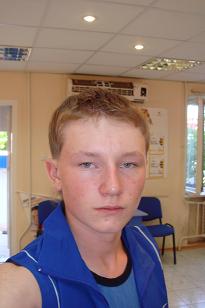
post-103926-1206983377_thumb.jpg   Прива, всем из провинции, Бугровцам отдельный почёт, остальные знайте достойные люди живут у нас, рассказывайте о своих города, а я расскажу о своём!!!!!!!!!!!!!!!!!!!!!!!!!!!!!! :)

Featured Replies

Я НЕ СМОГ ПРОЧИТАТЬ НАЗВАНИЕ ГОРОДА С ПЕРВОГО РАЗА!!!!1 КАК ВЫ СМЕЕТЕ ОСКОРБЛЯТЬ МОДЕРАТОРА, ОТКРЫВАЯ ТЕМЫ С ТАКИМИ СТРЁМНЫМИ НАЗВАНИЯМИ!!!!

ЗАКРЫТО!!!!

Edited by Shinsaku-To (see edit history)

Если долго всматриваться в бездну, можно неплохо провести время.

Всех с прошедшим праздником. =)


Согласно правилам раздела, можно открывать темы для городов, население которых не меньше ста тысяч человек. Поэтому закрыта.

Edited by Shinsaku-To (see edit history)

Если долго всматриваться в бездну, можно неплохо провести время.

Guest
This topic is now closed to further replies.

Recently Browsing 0

  • No registered users viewing this page.

Important Information

Configure browser push notifications

Chrome (Android)
  1. Tap the lock icon next to the address bar.
  2. Tap Permissions → Notifications.
  3. Adjust your preference.
Chrome (Desktop)
  1. Click the padlock icon in the address bar.
  2. Select Site settings.
  3. Find Notifications and adjust your preference.
